
Automated Phone Answering System: Stop Losing Callers
Automated phone answering system explained: costs, menu design, routing and how AI answers every call without trapping callers in a phone tree.
Every business phone line eventually hits the same wall. Calls arrive while the team is busy, after closing time, or all at once on a Monday morning, and nobody is free to pick up.
An automated phone answering system is the standard answer. It greets callers, understands what they need, routes them to the right place, takes a message or books a slot, all without a person on the line.
The technology has changed more in the last three years than in the previous twenty. The old press one, press two menu is still around, but it now sits next to voice systems that simply ask what the caller wants and act on the answer. This guide explains how these systems work, what they cost, how to set one up, and how to avoid the design mistakes that send callers straight to a competitor.
Key takeaways
An automated phone answering system answers, understands, routes and resolves inbound calls without a human picking up.
Three generations now coexist: auto attendant, IVR, and AI voice agent. They solve different problems and cost different amounts.
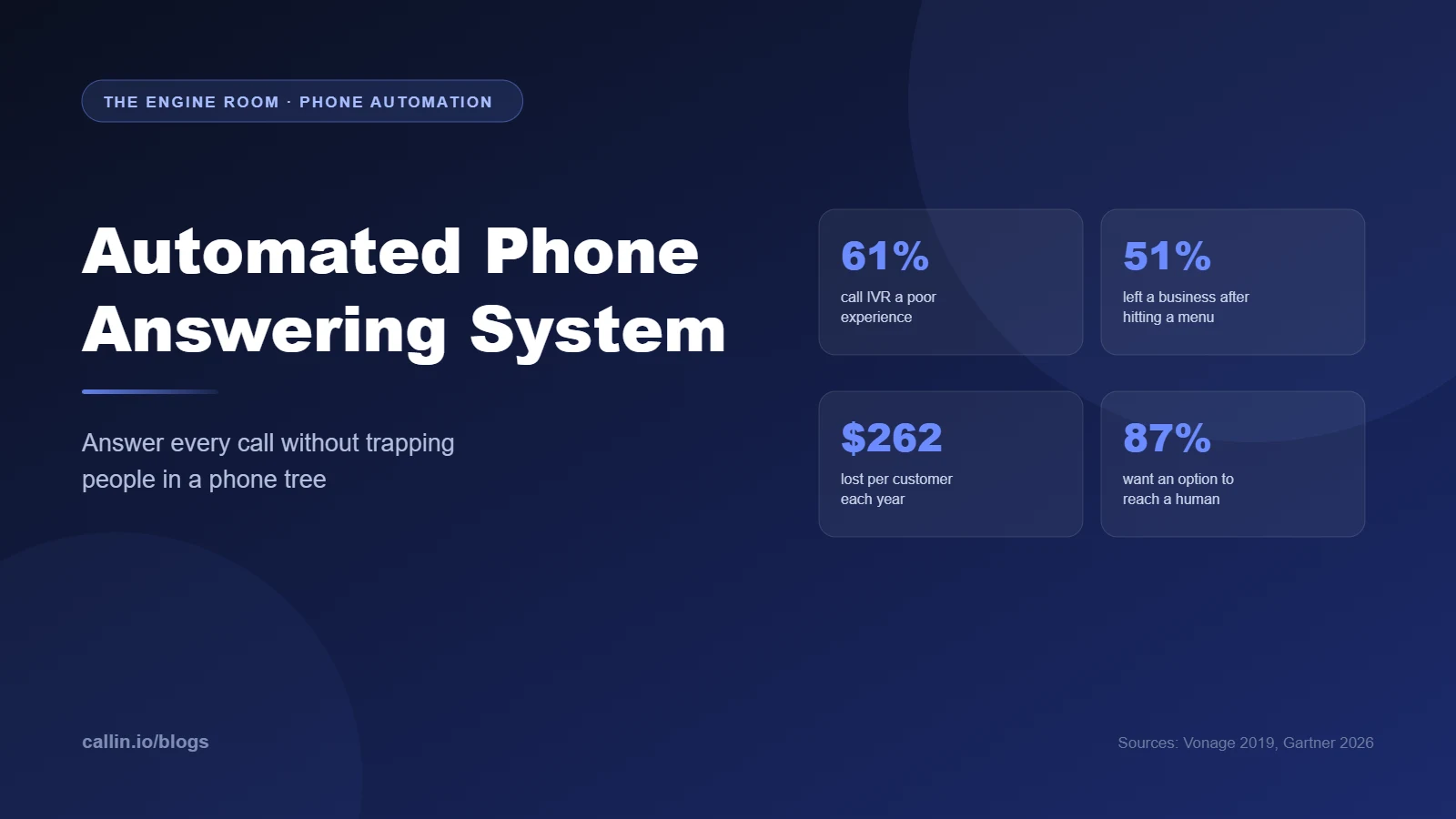
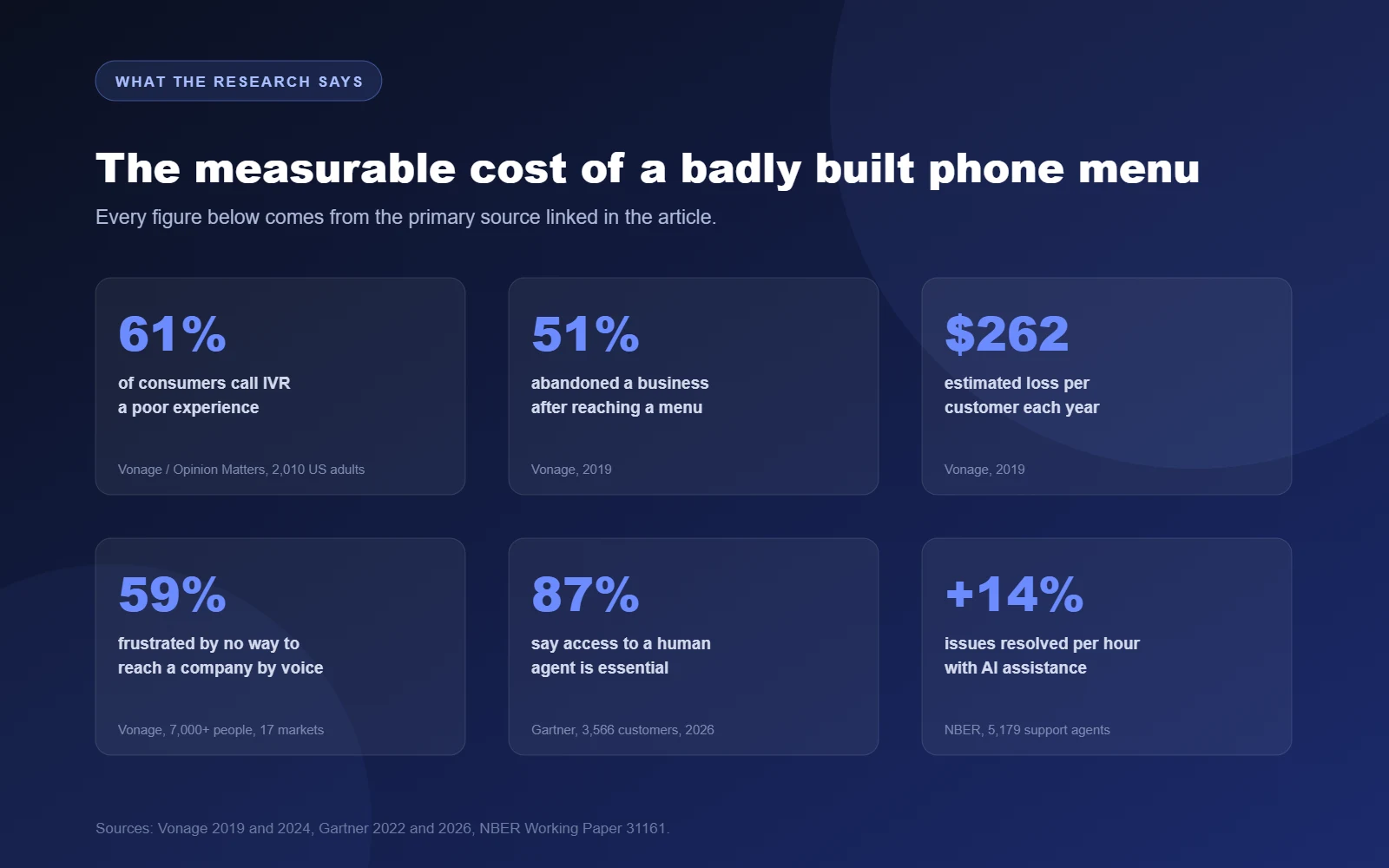
Vonage research found 61% of consumers see IVR as a poor experience and 51% walked away from a business after hitting a menu.
A Gartner survey of 3,566 customers found 87% consider access to a human agent essential when a company uses generative AI.
Pricing follows three models: per user per month, per account per month, or per minute. Setup fees and overage rates are where budgets break.
The system that wins is the one that resolves the call, not the one with the most menu branches.
What an automated phone answering system actually is
At its simplest, it is software that sits in front of your phone number and handles the call before a human does: it answers instantly, speaks a greeting, collects what it needs and decides where the call goes next. Older systems collect that information through keypad presses, while newer ones listen to natural speech, work out the intent behind it and respond in a conversation rather than a menu.
The destination can be a person, a department, a voicemail box, a calendar slot, or a complete self-service answer that ends the call satisfied. None of this requires new hardware: most services work over your existing number through call forwarding or a SIP connection, which is why a small practice can go live in an afternoon.

The three generations of automated phone answering, from keypad menus to intent-driven voice agents. Source: Callin.io analysis.
Auto attendant, IVR and AI voice agent: the three generations
These three terms get used as synonyms in marketing copy, which is unhelpful when you are choosing between them. They are distinct products with distinct limits.
Auto attendant
An auto attendant is a digital receptionist that plays a greeting and offers a short list of destinations. Press one for sales, press two for support, dial by name for everyone else.
It is cheap, reliable and usually bundled free with a business VoIP plan. It cannot answer a question, look anything up, or do anything beyond routing.
Interactive voice response
IVR adds data. It connects to a backend so the caller can check an order, pay a balance, or confirm a booking without an agent. Many IVRs also accept spoken input rather than keypad presses.
IVR is powerful where the task is transactional and repetitive. It struggles the moment a caller has a request that was not designed into the tree, which is the root of most IVR complaints. Our guide to conversational IVR covers that shift in detail.
AI voice agent
An AI voice agent replaces the tree with a conversation. The caller says what they want in their own words, the model works out the intent, pulls context from your systems and either resolves the request or hands it to the right person with a summary attached.
This is what sits behind a modern AI receptionist and a modern AI answering service. The practical difference is that nobody has to predict every question in advance.
What callers actually dislike, with numbers
The case against badly built automation is not a matter of taste. It is measurable, and the measurements are not kind.
Vonage commissioned independent research among 2,010 US adults and published the results in 2019. In that study, 61% of consumers described IVR as a poor customer experience and only 13% saw it as positive.
The same research put a price on it. Fifty-one percent of respondents said they had abandoned a business entirely after reaching an IVR menu, and the estimated loss worked out at $262 per customer per year, with 89% of that spending going to a competitor.
The reasons are specific and fixable. Sixty-five percent said the reason for their call was not among the options, 63% said the options were irrelevant, and 54% objected to being kept away from a live person.
The pattern repeats in newer data. Vonage's 2024 global report, based on more than 7,000 participants across 17 markets, found 59% frustrated by having no way to reach a company by voice at all, and 74% likely to take their business elsewhere after poor experiences.
Scroll through r/smallbusiness or r/LifeProTips and you find the consumer side of the same story: long-running threads on how to trick automated phone menus into connecting you to a person, usually by pressing zero repeatedly or saying nothing at all. When your customers are swapping escape tricks, the menu is the problem.
Verified figures on automated call handling from Vonage, Gartner and NBER. Sources linked in the text.
What the automation actually gives you back
The upside is just as measurable, and it is not only about headcount.
Coverage comes first. A system that answers on the first ring at 9pm on a Sunday captures enquiries that otherwise become voicemails nobody returns, and where one booking is worth hundreds, a handful of recovered calls per month pays for the whole thing.
Consistency and capacity come next. The greeting is identical every time, the qualifying questions never get skipped because it is busy, and ten simultaneous calls are handled the same way as one, so seasonal spikes stop being operational emergencies.
There is also a documented productivity effect when AI assists human agents rather than replacing them. A National Bureau of Economic Research working paper studying 5,179 customer support agents measured a 14% average increase in issues resolved per hour, rising to 34% for novice and lower-skilled workers.
At the market level, Gartner predicted in 2022 that conversational AI would reduce contact centre agent labour costs by $80 billion in 2026, with one in ten agent interactions automated, up from an estimated 1.6% at the time.
Features that actually matter
Feature lists are long and mostly identical. These are the ones that change outcomes.
Intent recognition, so callers can state a request instead of decoding a menu.
Time and date routing, so hours, holidays and overflow are handled without manual switching.
Calendar booking that writes directly into the real diary, with conflict checks.
CRM write-back, so every call creates or updates a record rather than a note someone has to retype.
Warm transfer with context, so the human who picks up already knows what was said.
Transcripts and recordings, which are what you will use to improve the script in month two.
Caller-side escalation, an unambiguous way to reach a person at any point.
Reporting on resolution rate, not just call volume.
Resolution rate is the number that matters. A system that handles 90% of calls but resolves 30% of them is just a more expensive voicemail.
What an automated phone answering system costs
Pricing follows three patterns, and mixing them up is how budgets go wrong.
Per user, per month
Business phone platforms that bundle an auto attendant charge per seat, so the cost scales with headcount rather than call volume.
Per account, per month
Virtual number and small-business answering products charge a flat monthly fee for the line, with an allowance of minutes or calls included. This suits a one or two person operation.
Per minute or per call
AI voice agents are usually metered, because a conversation costs real compute. You pay for talk time, often with a platform fee on top.
Watch three line items: the setup or onboarding fee, the overage rate once the included allowance runs out, and the cost of the integrations you actually need. A cheap plan with expensive overage is a bad deal for a business with seasonal spikes.
We broke the economics down with worked examples in our guide to what an AI voice agent really costs, and current plan pricing lives on the Callin.io pricing page.

Photo: Julian Hochgesang on Unsplash.
How to set one up in seven steps
Keep the number callers already know. Forward your existing line rather than publishing a new one.
Write the greeting before you build anything. Name the business, say what the system can do, and keep it under eight seconds. Long greetings are where callers start pressing zero.
List the real reasons people call. Pull a month of call notes or voicemails. You will usually find five or six intents covering most of the volume.
Map each intent to an outcome. Resolve, book, take a message, or transfer. Decide which, for each one, before you touch a call flow builder.
Define the escalation path. Who picks up, on which device, in what order, and what happens when nobody does. This is the step most setups skip.
Connect the systems. Calendar for bookings, CRM for records, helpdesk for tickets. An automated call that does not write anywhere creates work instead of removing it.
Test it as a caller. Phone it from a mobile, with background noise and with a question you did not design for. Then have three colleagues do the same.
For a one-person business that is an afternoon. For a multi-location operation with shared reception, expect a week of iteration before the flows settle.
Design for intent, not for keywords
The most common failure is a system built around words instead of meanings. A caller who says their boiler is making a noise never says the word maintenance, so the keyword match fails and the call escalates for no reason. The independent contact centre publication Call Centre Helper made exactly this point in a short interview on reducing unnecessary escalations from virtual agents.
Video: Virtual Agent Escalations: Design Virtual Agents Around Intent Not Just Key Words, CallCentreHelper TV.
In practice this means grouping the twenty ways people describe the same problem into one intent, testing with real recordings rather than the phrases you imagined, and accepting that some calls should escalate immediately. A distressed caller, a complaint or a request involving money going out belongs with a person.
Integrations: where the value is created
An answering system that only answers is a small win. One that writes into your operational systems changes the day. Calendar integration turns a request into a confirmed slot during the call itself, which is the difference between an enquiry and a booking, and our guide to AI appointment scheduling covers the no-show side of that equation.
CRM integration means the call is already logged when the follow-up happens, and helpdesk integration means a ticket exists with a transcript attached. Both remove retyping, which is where small teams lose their afternoon.
Sector matters here. A property manager needs the call tied to a unit and a tenant, which is why we built a specific flow for property management. An internal service desk needs it tied to an asset and a user, which is the shape of our IT support deployment.
Consent, recording and the legal edge
Automation on a phone line touches regulation, and the rules tightened fast.
On 8 February 2024 the US Federal Communications Commission issued a declaratory ruling making clear that AI-generated voices in calls count as artificial under the Telephone Consumer Protection Act, effective immediately. Telemarketing robocalls require prior express written consent, and an AI voice does not change that.
This matters mostly for outbound: answering a call somebody chose to place is a different legal situation from placing one, as we unpacked in our piece on AI outbound calling.
Recording and transcription have their own rules, which vary by country and by state. In the EU and UK you need a lawful basis, a retention period and a disclosure at the start of the call. Build it into the greeting, together with a line saying the caller is speaking to an automated assistant. It costs two seconds and callers who know what they are talking to tend to be more direct.
Always leave a door to a human
This is where most of the research converges. A Gartner survey of 3,566 B2B and B2C customers fielded in early 2026 found that 87% consider it essential that companies using generative AI offer an option to reach a human agent, while 50% said interactions were easier when generative AI was involved.
Those two numbers belong together. People are not rejecting automation, they are rejecting automation without an exit.
Research by Pegasystems and YouGov among 4,748 adults in the UK and US, fielded in November 2025, points the same way: 66% prefer human-led support and just 2% want to deal exclusively with generative AI chatbots.
So make the escape route obvious, state it in the greeting, and never make the caller repeat everything to the person who picks up. A warm transfer with the transcript attached is the clearest signal that the automation is there to help rather than to deflect.

A nine-point checklist for an automated phone answering system that resolves calls. Source: Callin.io.
Keeping it working after launch
Automated phone systems decay quietly. Hours change, a department disappears, and the greeting keeps saying the old thing for eighteen months. Review the flows quarterly: opening hours, holiday rules, destination numbers, pricing statements and anything that mentions a person by name.
Read transcripts weekly for the first two months. The gap between what you expected callers to say and what they actually say is always wider than the design assumed, and closing it is the cheapest improvement available.
Track four metrics and ignore the rest: containment rate, resolution rate, escalation reason and time to first useful answer. If containment rises while resolution falls, you have built a trap rather than a service.
Finally, keep a short list of calls the system should never handle alone: complaints, cancellations, anything with a safeguarding dimension.
Frequently asked questions
What do you call an automated answering service?
Auto attendant, IVR, virtual receptionist and AI voice agent all describe automated answering, but they are not interchangeable: an auto attendant routes, an IVR transacts, an AI voice agent holds a conversation and resolves.
How much does an automated phone answering system cost?
Billing is per user per month, per account per month, or per minute of conversation. Setup fees and overage rates often matter more than the headline price. See our cost breakdown for worked examples.
Can an automated system transfer a call to a real person?
Yes, and it should. The best implementations transfer with context, so whoever answers sees a summary instead of starting from nothing.
Is there a free automated phone answering option?
Basic auto attendants are bundled free with many business VoIP plans, but they route calls and nothing more. Anything that understands speech, books appointments or writes to a CRM is a paid service.
Will callers know they are talking to a machine?
With a modern voice agent many will not notice immediately, which is exactly why you should tell them. Disclosure at the start of the call is both the honest option and increasingly the compliant one.
Does an automated system work for a one-person business?
That is where the return is clearest, because there is no colleague to cover the phone. Our guide to an AI voice agent for small business covers the single-operator setup.
Where to go from here
The question is no longer whether to automate the phone line, but whether your automation resolves calls or simply absorbs them.
Start by listening to a week of real calls, write down the five things people actually want, and build a system that handles those five properly and escalates everything else quickly. That beats a twelve-branch menu every time.
To see what an intent-driven version sounds like on your own number, set up a Callin.io phone agent, connect it to your calendar and CRM through the AI voice platform, and start at callin.io.


