AI Email Agent: Automate Inbox Work Safely
AI email agent: how it triages, drafts and routes inbox work safely, where it fails, and a 30 day pilot plan that proves the value without risk.

Your inbox is not a writing problem. It is a queue of decisions, and most of them repeat.
An AI email agent is built for that queue. It reads what arrives, works out what the sender wants, and does something about it: tag, route, look up a record, draft a reply, or hand the thread to a person with a short note on why.
Key takeaways
An AI email agent interprets incoming mail and chooses an action. An assistant only helps you write. Plain automation only follows fixed rules.
The average worker receives 117 emails a day and gets interrupted roughly every two minutes, according to Microsoft research.
Keep human review on anything a customer sees. Give full autonomy only to labeling, routing and field extraction.
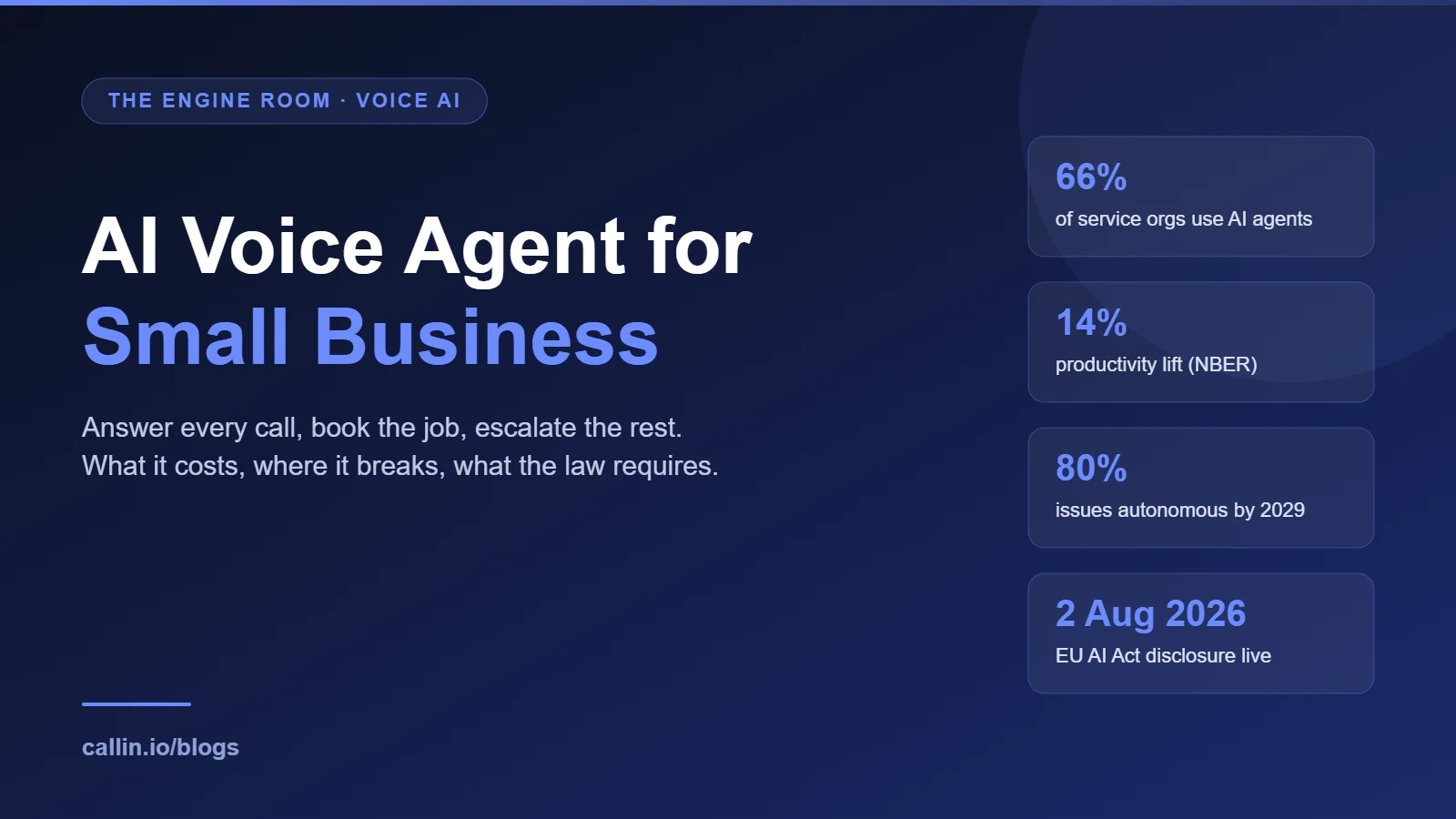
Gartner expects agentic AI to resolve 80% of common service issues by 2029, and also expects over 40% of agentic projects to be canceled by the end of 2027.
Email and phone are the same intake layer. Treat them as one system, not two projects.

The autonomy ladder for an email agent. Climb one rung at a time. Source: Callin.io analysis.
What is an AI email agent?
An AI email agent monitors a mailbox or an email-triggered workflow, interprets each message, and acts inside limits you define.
The actions are the point: classify intent, apply labels, pull an invoice from another system, open a ticket, book a slot, draft a reply, send it if policy allows, escalate when the request falls outside the rules.
The distinguishing feature is decisioning, not text generation. A practical test: does the system move work forward when nobody opens the inbox?
Say a customer writes that they were billed twice. The agent recognizes the billing intent, finds the invoice, labels the thread, routes it to finance, and drafts a reply quoting the invoice number. The draft waits for approval. If the lookup fails, the agent escalates and says what it could not confirm instead of inventing a number.
That last sentence is the whole design philosophy. A good agent knows the shape of its own ignorance.
AI email agent vs assistant vs email automation
Vendors use the word agent loosely, so compare capability instead of vocabulary.
AI email assistant. Helps a person go faster. Rewrites, summarizes, suggests replies. It waits for you to ask.
Email automation. Fires fixed if-then rules. Forward from this domain, tag this subject, send this template. Reliable and blind.
AI email agent. Interprets messy input, chooses between valid actions, runs multi-step work across systems, escalates when confidence drops.
A quick way to classify whatever you are shown in a demo:
Mostly writes and summarizes on request: assistant.
Fires predefined rules: automation.
Reads inbound mail, uses prior context, picks an action, escalates when unsure: agent.
Writes to your CRM, calendar or help desk: strongly agentic.
Claims autonomy but a human starts every run: assistant in a costume.
Gartner has a name for the costume. In June 2025 it estimated that of the thousands of vendors claiming agentic AI, only around 130 are the real thing, and called the rest agent washing.
Why the inbox is worth automating
The business case does not rest on how fast anyone types.
Microsoft's Work Trend Index special report of June 2025 found the average worker receives 117 emails a day, most skimmed in under a minute, and is interrupted roughly every two minutes. It also found 40% of people online at 6am are already triaging mail, and 29% are back in the inbox by 10pm. That is the cost nobody books: attention spent deciding what a message is, over and over.
The gains look real when AI handles that layer. A National Bureau of Economic Research working paper on 5,000 support agents measured a 14% average productivity gain, rising to 34% for the least experienced staff.
Novices gained most because the system encoded what good looks like. That is the quiet argument for agents in support: they distribute institutional knowledge.

Verified figures on inbox load and agentic AI. Sources: Microsoft Work Trend Index 2025, Gartner 2025, NBER working paper 31161.
How an AI email agent works
Under the marketing, every email agent runs one loop: watch, read, decide, act or ask, and log everything.
Triggers, permissions, memory, actions
Triggers start the loop: a new message in a shared mailbox, a reply from a named account, an arriving attachment, a webhook from your help desk.
Permissions decide what it may read and do. Read-only is a different product from send-on-my-behalf. Scope these before you compare model quality.
Memory keeps thread history, past interactions and structured state, so the agent does not meet a regular client as a stranger.
Actions are the allowlist: label, route, draft, send, open a ticket, update a record, propose a time, request review. Short lists fail safely.
Human in the loop, or autonomous
Start with a human on the send button. The agent summarizes, classifies and drafts; a person approves anything that touches a customer, a record or money.
Full autonomy belongs to narrow, boring work: labeling, routing, extracting fields, sending an approved acknowledgment.

A shared inbox is an intake layer, not a writing task. Photo by Vitaly Gariev on Unsplash.
Where an email agent earns its keep
Look for repetitive input with few valid next steps. If you can say "when this kind of email arrives, do one of these three things", you have a candidate.
Support triage and routing
Classify the issue, detect urgency, attach internal context, route to the right queue, prepare a draft. Password confusion, invoice copies and order status are structured. Complaints and relationship repair are not, so automate queue movement long before the apology.
The same logic already works on the phone, which is why teams running voice AI for customer service usually find email intake the easier half.
Scheduling and follow-up
Availability requests are messy in language and tidy in structure. An agent can read the request, offer approved slots, prepare the calendar action and send reminders. Value comes from the handoff between inbox, calendar and task list, and our guide to AI appointment scheduling covers the booking rules that must exist first.
Attachments and documents
Invoices, delivery notes, forms, signed confirmations. The agent identifies the document, extracts the fields that matter, pushes the result downstream.
Extraction and decision are different risks. Reading an invoice number is cheap to correct. Approving a payment because of it is not, so keep approval human for anything financial or contractual.
What practitioners actually run into
The demos are smooth. The forums are not, and that is where the useful detail lives.
On a Hacker News thread about email guardrails, the failure mode named first is prompt injection through the message body, then an agent with no send limit and a loop bug that burns sender reputation in hours. Another commenter is blunt about outbound: a domain that exists mainly so AI can send mail is a fast route onto blocklists.
In a Microsoft Q&A thread, a developer building an autonomous mailbox agent got answers that read like a scar list: prevent auto-reply loops, expect throttling, do not promise sub-five-second latency, scope permissions per application, fall back to human review on low confidence, and expect notifications to arrive late, duplicated or out of order.
Search behaviour says the same. The questions people type are not about features: is it safe to give AI your email, can AI agents send emails for me, are AI agents trustworthy. Governance questions dressed as product questions.
Gary Sims builds a working email agent in Python over IMAP, including prompt construction and tool calling. Source: Gary Explains on YouTube.
How to evaluate an AI email agent
Judge workflow fit, not feature count. Five areas decide it: access, action scope, confidence handling, integration depth, observability. A gap in any one pushes hidden work back to your team, and vague answers below mean the control design does not exist yet.
Ask these before you grant mailbox access:
What is the minimum access it needs: read, draft, send, label, or write to other systems?
Which actions run automatically, and which always wait for approval?
Is there an audit trail of what it read, decided and did?
What happens when confidence is low, a lookup fails, or a reply would break policy?
How are retention, subprocessors and incident handling documented?
What good guardrails look like
Specific ones: confidence thresholds, an approval queue with a named owner, sender-based rules, an action allowlist, daily send caps, an escalation path. Write the policy in plain language first. If you cannot state it in a paragraph, the workflow is not ready for autonomy.
Guardrails should assume failure. If the CRM is down, the agent must not improvise context. If instructions inside a message look like commands, it must treat them as content. Our piece on what prompt injection is explains why, and the OWASP Top 10 for LLM applications ranks it first among risks.
What pricing hides
Per seat, per run, per message, per inbox. The subscription is the visible part. The invisible part is supervision: if reviewing and fixing takes nearly as long as drafting saved, the case collapses.
Model total operating cost, including the time of whoever owns the exception queue. We publish ours on the pricing page, and the AI email software plans are priced on volume for that reason.
Failure modes worth planning for
Email agents break the way classic automation breaks. The difference is the authority you handed over: a weak summary costs 30 seconds, a wrong automated action costs a customer, a calendar, a queue or a record.
Classification errors are the expensive ones: they misroute work at step one and nobody notices until the SLA is gone.
Duplicate actions appear when retries, forwarding rules and integrations are not coordinated. Idempotency is boring and it saves you.
Deliverability degrades quietly. Follow Google's sender guidelines, authenticate your domain, cap what the agent can send per hour.
For governance, the NIST AI Risk Management Framework is a practical reference, and concrete documents beat trust claims: a subprocessor list, a retention policy and an audit log beat any slide about responsible AI.
Gartner's March 2025 forecast that agentic AI will resolve 80% of common service issues by 2029, cutting operating costs 30%, sits next to its own warning that over 40% of agentic projects get scrapped first for unclear value and weak controls.
When not to let an agent answer
Legal notices, disputes, anything a regulator may read.
HR matters and disciplinary threads about a named employee.
Pricing exceptions, contract changes, refunds above your threshold.
Outages, recalls and policy changes, when past patterns mislead.
A simple rule: if a competent colleague would need to read the whole thread before replying, the thread is a bad candidate for autonomy.

Guardrail checklist to agree on before go-live. Source: Callin.io analysis, aligned with NIST AI RMF practices.
A 30-day pilot that cannot embarrass you
A good pilot is narrow, measurable and reversible. Its job is to learn, not to impress.
Days 1 to 5. Pick one workflow, write the approval policy in plain language, define minimum access, name the owner of the exception queue.
Days 6 to 12. Connect the mailbox in observe-only mode: the agent classifies and logs, and sends nothing. Compare its labels with your team's.
Days 13 to 20. Turn on drafting with human approval. Measure how often a draft ships unedited.
Days 21 to 26. Allow one autonomous low-risk action, usually labeling or routing. Keep the daily send cap low.
Days 27 to 30. Compare handling time, review time, rework, misroutes and customer-visible errors against your baseline. Expand only if the review burden stayed reasonable, and watch the monitoring habits in our notes on running AI agents in production.
Email and phone are one intake layer
Most teams run these as separate projects, with separate vendors and rules. Customers email on Tuesday, call on Wednesday about the same problem, and expect the second contact to know about the first.
That is why we build both on one platform. The same intent model, knowledge base and escalation rules drive the AI phone agent and the email side, so a case opened by mail can be continued by voice.
If calls still route through a keypad tree, conversational IVR is the other half of the cleanup, and AI outbound calling covers consent for outreach. Agencies can run it all under their own brand with a white label AI voice agent on the AI voice platform.
FAQ
What is the difference between an AI email agent and an AI email assistant?
An assistant helps a person write and waits to be asked. An agent monitors a mailbox, decides what each message needs and acts within limits you set, escalating to a human when needed.
Can an AI agent send emails on my behalf?
Technically yes, and that is the permission to grant last. Start with drafts in an approval queue, allow autonomous sending only for approved templates, and set a daily cap.
Is it safe to give an AI agent access to my inbox?
It depends on scope and logging, not on the model. Grant the minimum permission the workflow needs, insist on an audit trail, and check how the vendor documents retention and subprocessors.
Will an AI email agent hallucinate answers to customers?
It can, which is why grounding and fallbacks matter more than fluency. A well configured agent answers from your knowledge base and escalates when it cannot verify a fact.
How much does an AI email agent cost?
Usually per seat, per message or per inbox, but the real cost includes supervision time. Model review and exception handling before you compare subscriptions.
Where to start
Pick the most boring email your team handles. Write down what should happen to it in a paragraph anyone can read. Then let an agent handle that one thing under review.
Callin.io runs email and voice agents on one platform, with the approval queues, logging and escalation rules this article argues for. See how it fits your intake at callin.io.